
Understanding Rideshare and Delivery Platform Algorithms
Princeton University IRB #18415
Study Overview
Thank you for participating in our research study! We're interested in learning more about rideshare and delivery platforms, and how people use them. In this study, we are interested in Uber, UberEats, Lyft, Doordash, Grubhub,and Instacart.
What You'll Be Asked to Do
We will provide instructions and links to each phase of the survey to your email. As part of this study, you will be asked to complete four phases. You are currently in Phase 2, 3 or 4.
- Learn about the study
- Complete onboarding survey
- Time: approximately 10 minutes
- Take screenshots of ride/delivery requests
- Order ride/delivery
- Receive ride/delivery
- Request ride/delivery history from platforms you use
- Time: approximately 10 minutes, and requires a 24-72 hour processing period
- Organize and upload screenshots
- Upload rideshare/delivery files
- Time: approximately 10 minutes
Phase 2: Qualifying Screenshots
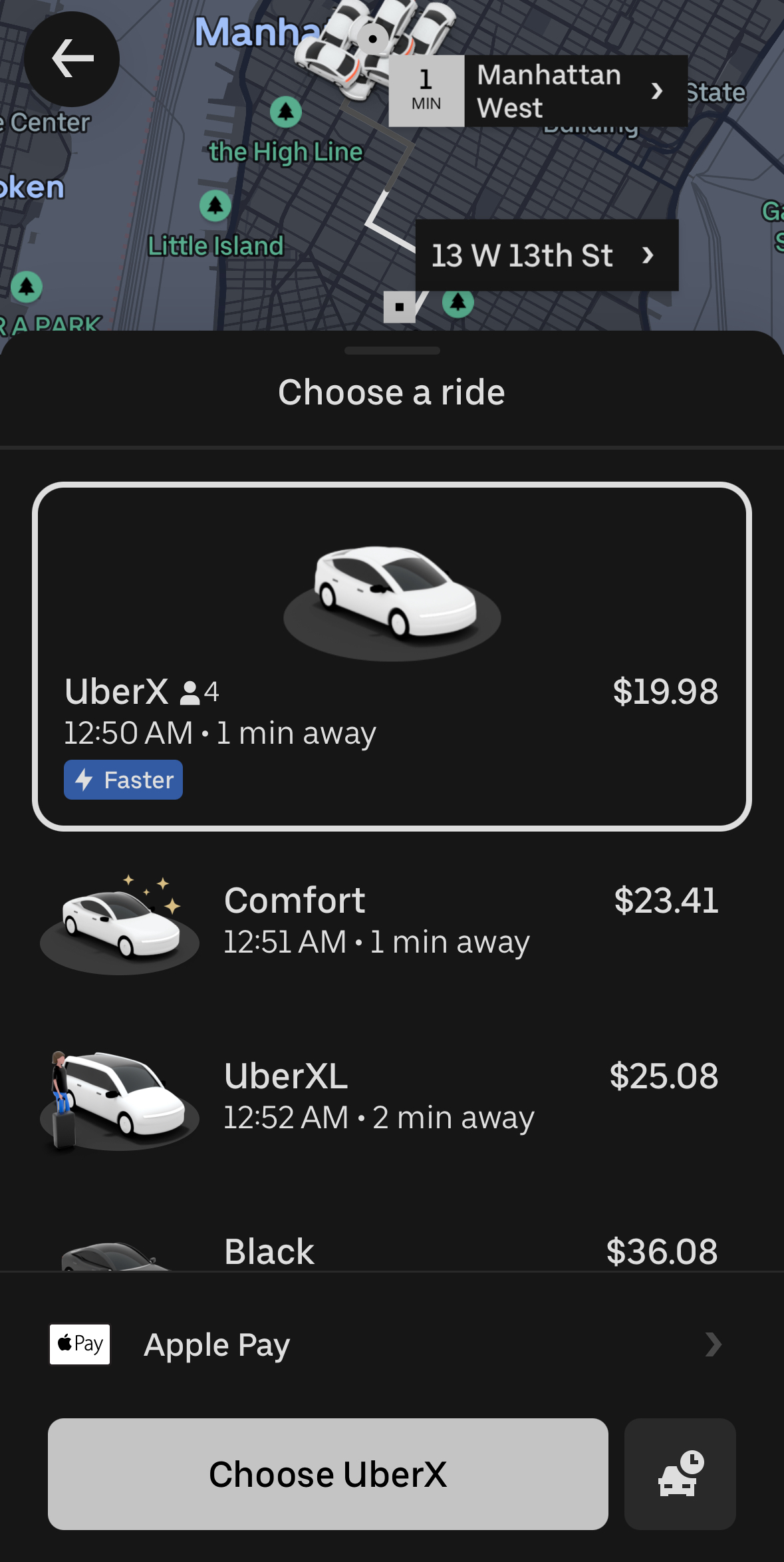
Qualifying screenshots must capture (1) the estimated time of arrival, (2) the service you selected (e.g., select Priority if you will order Priority), and (3) the pricing details of the order. For more information on what screenshots to upload, see the examples below.
Some platforms may require more than one screenshot to capture all of the required information (see UberEats, DoorDash below). You may also upload screenshots from desktop/web browsers if you prefer.
Example Qualifying Screenshots:
Uber
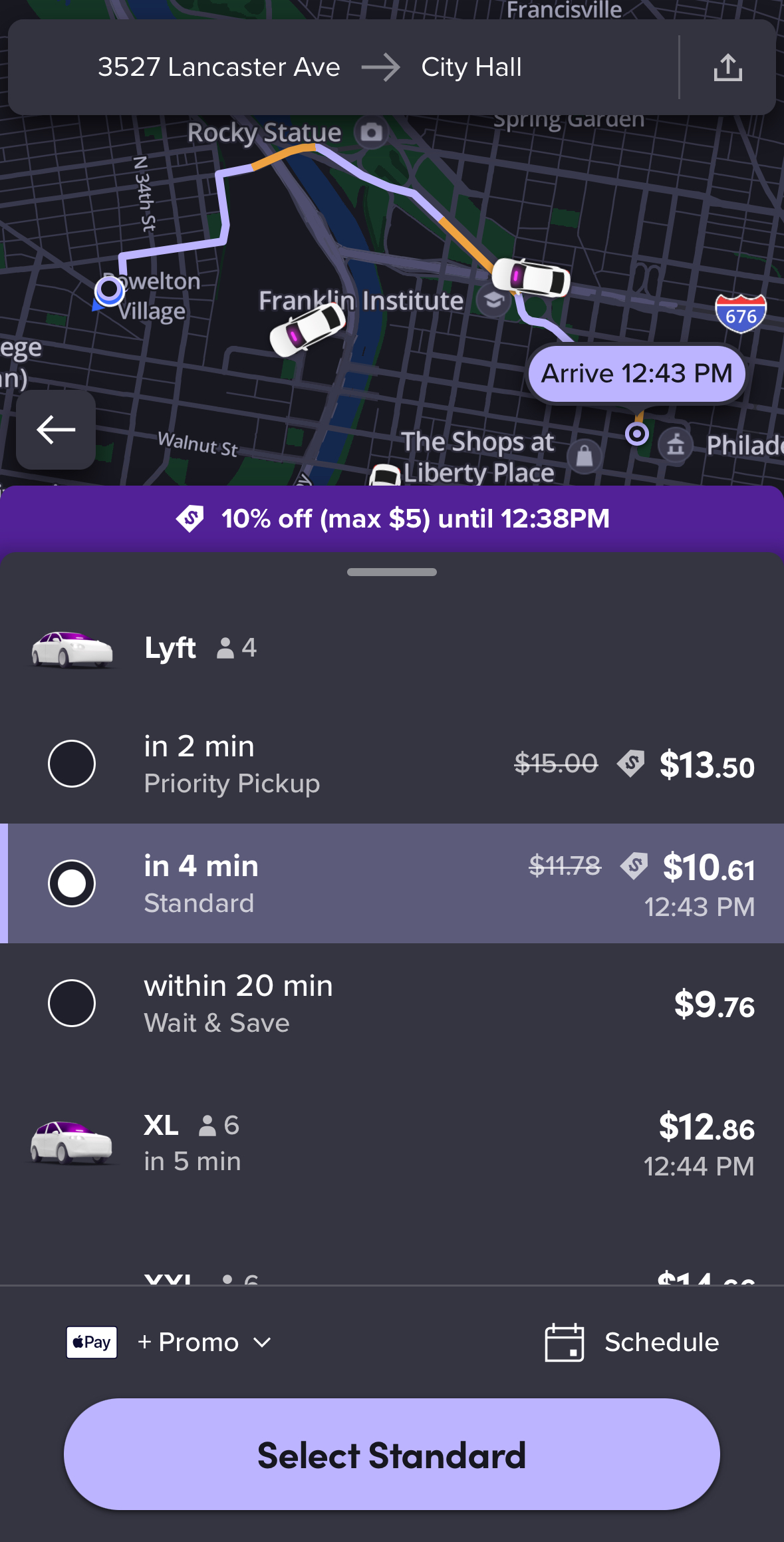
Lyft
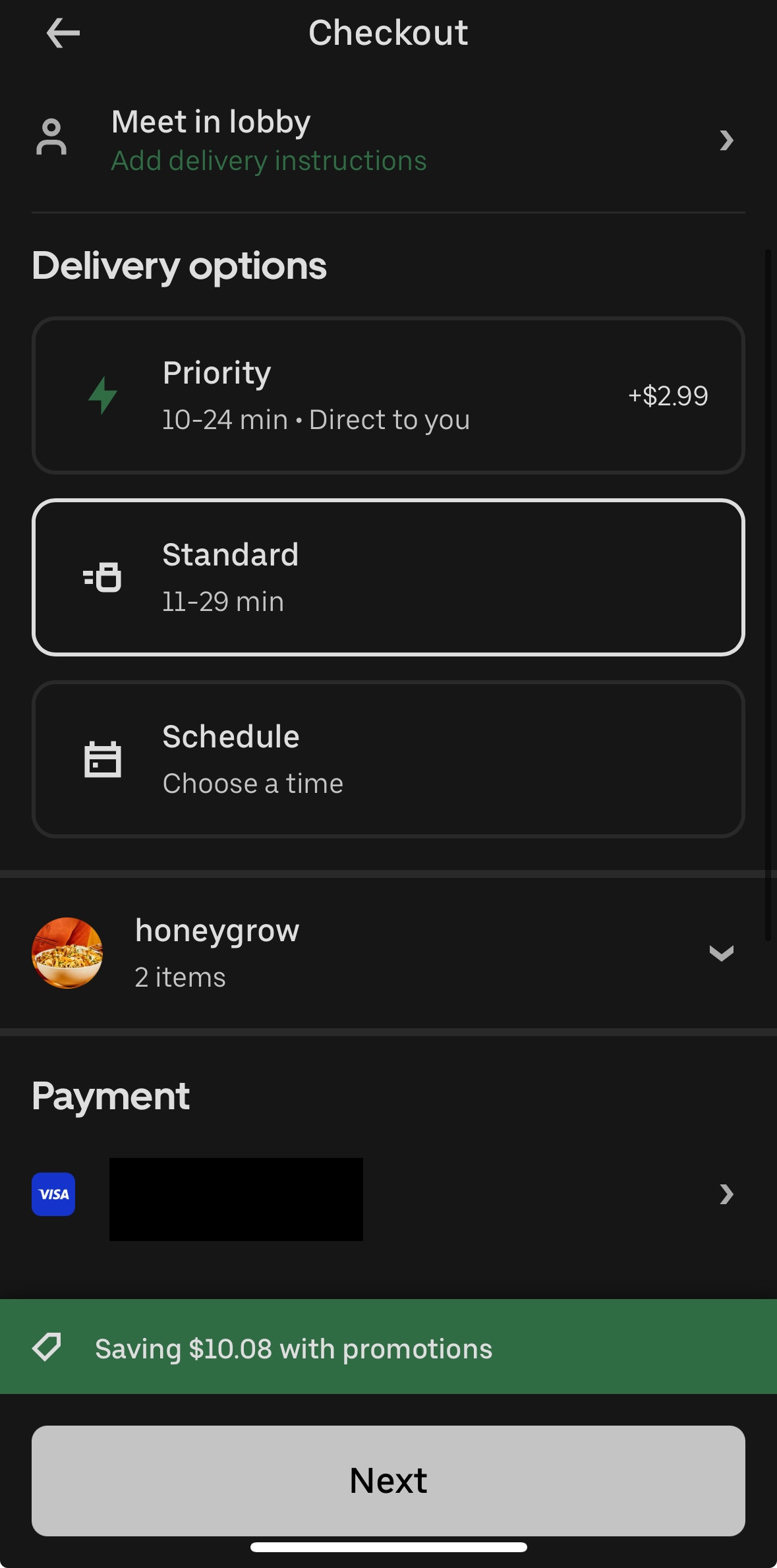
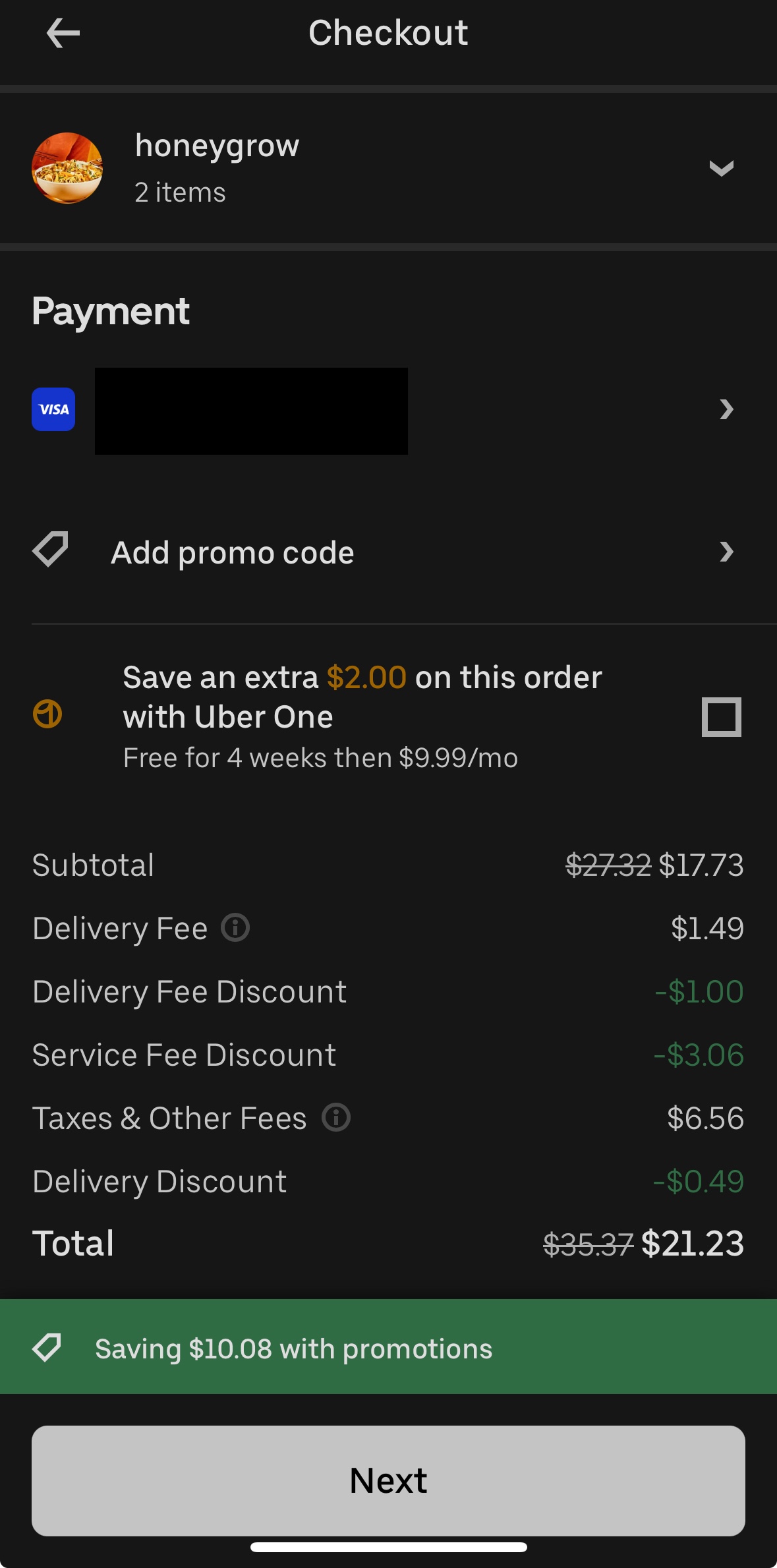
UberEats
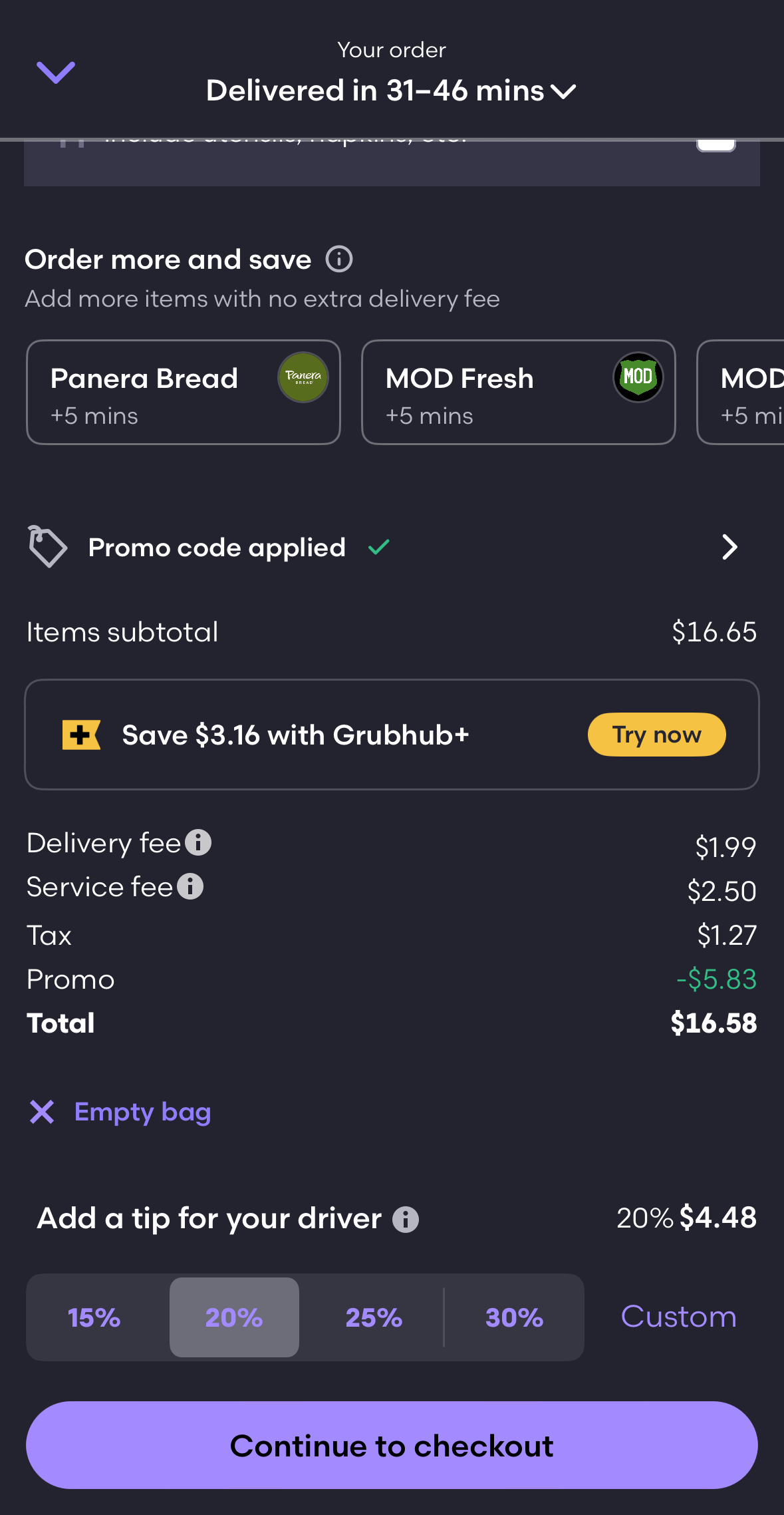
Grubhub
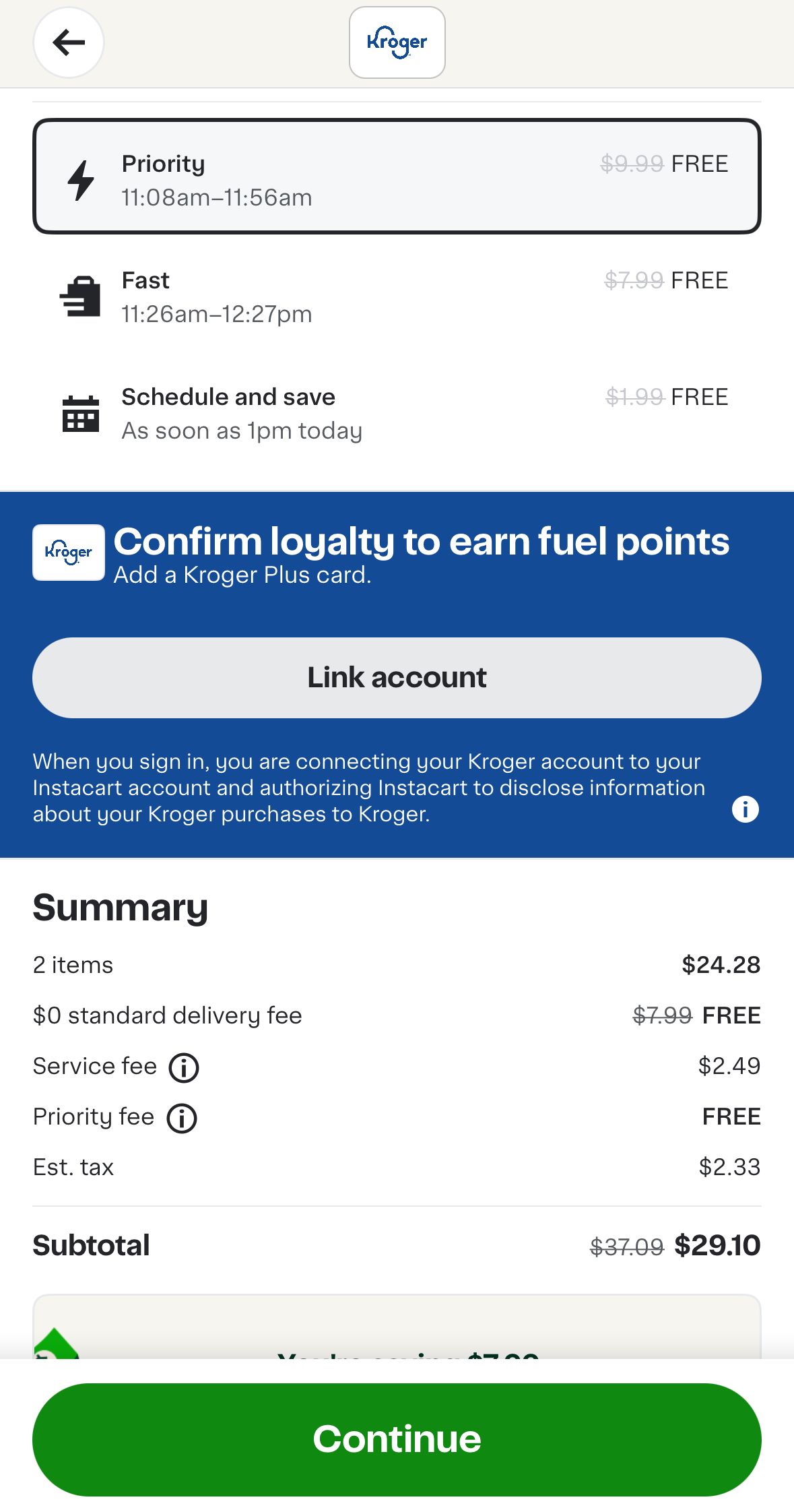
Instacart
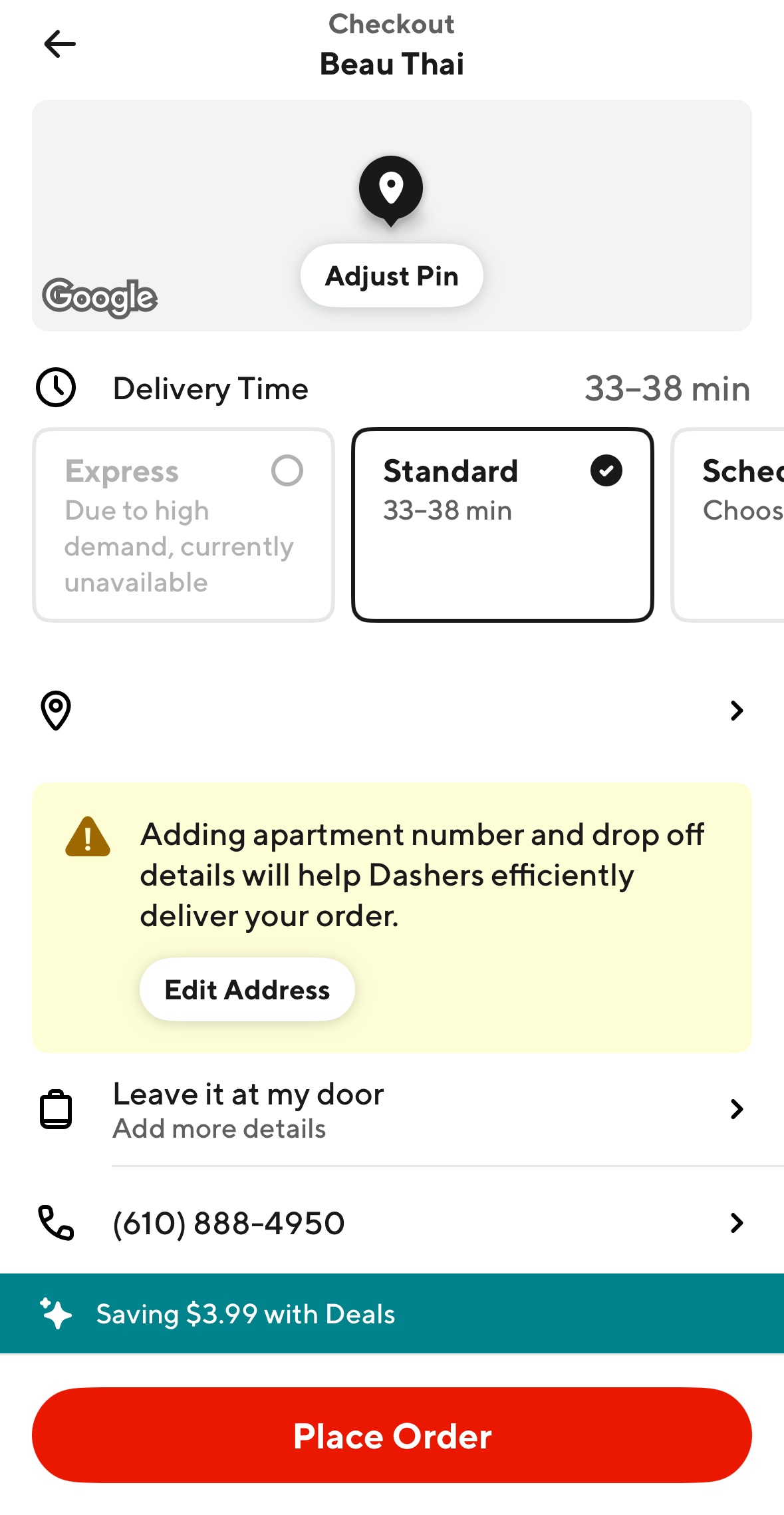
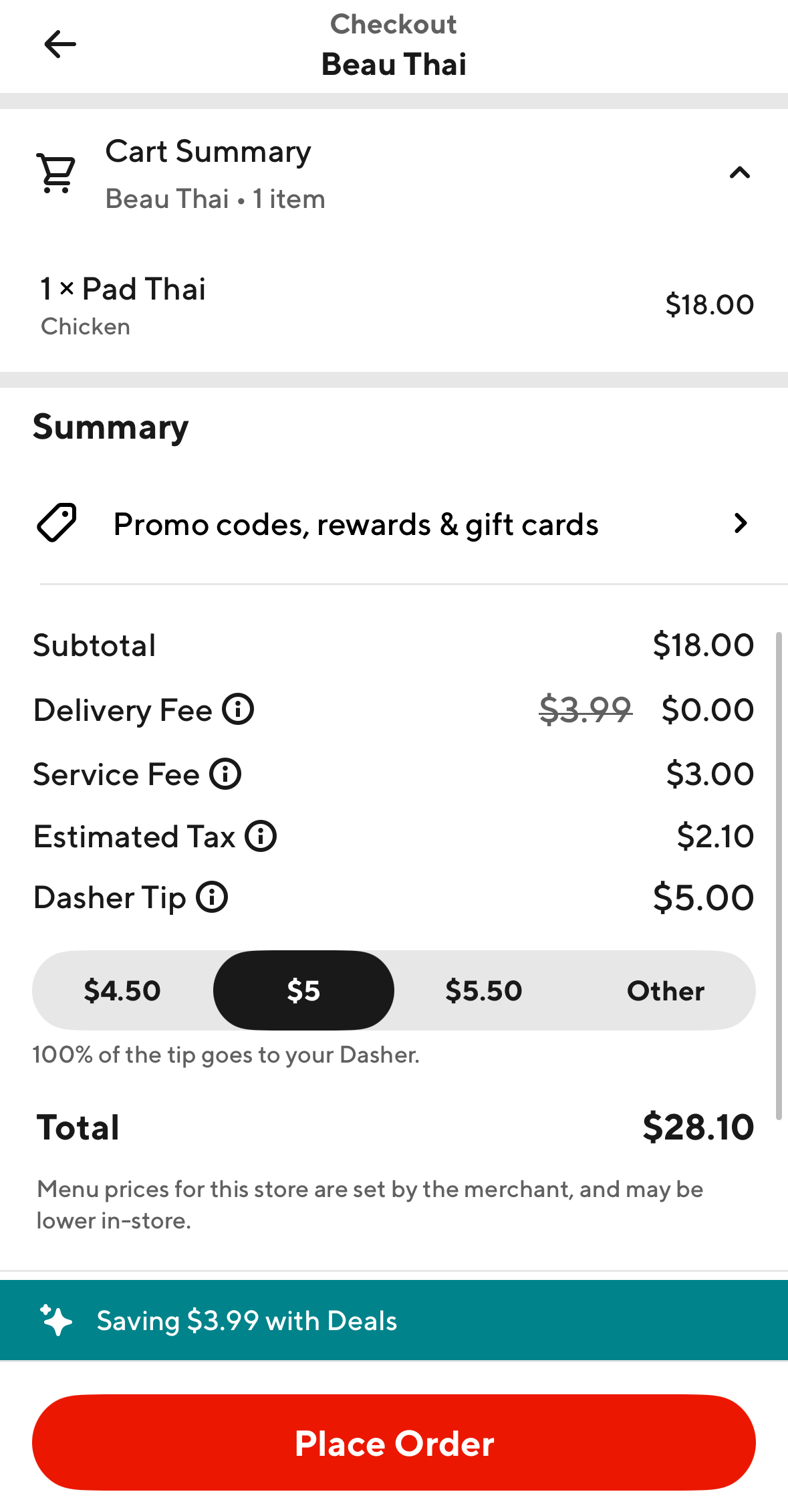
DoorDash
Remembering to Take Screenshots
To help you remember to take screenshots before each rideshare/delivery order, we have created two Shortcuts. You can download them by clicking the blue text below. Please open the links on your iPhone. You can open this webpage on your phone, or send the webpage to yourself via email or text message.
- Click this link: Reminder Notification to Take Screenshot Shortcut
- Click this link: Automatically Take & Save Screenshot Shortcut
Compensation
Participants who complete all phases of the study will receive compensation as follows:
- $10 for uploading your ride/delivery history and at least 5 screenshots of your ride/delivery orders.
- $1 bonus for each additional screenshot you upload (>5 total), up to $10. For example, if you upload 10 screenshots, you will receive $15.
Data Privacy
Your data will be uploaded to a secure server, with access limited to the research team. You'll be able to review all of your data prior to uploading it to us.
For participants who have already signed up:
Need Help?
Have questions or need assistance? Please email the research team at rideshare-study@cs.princeton.edu and include the email address you used during consent.
We'll respond to your registered email address.
Upload Data
Already signed up and ready to upload your rideshare data and screenshots? Click below to proceed.
You'll need your email address to continue.
New to the study? Start with the consent form